

- Home
- Login
PlayAmo Login
Your email, your password and, if you switched it on, a two-step code. That is the whole PlayAmo login, plus quick fixes for the days it refuses to cooperate.
- Email + password
- Optional 2FA
- 24/7 live chat
The short version
PlayAmo login in under a minute
To log in to PlayAmo, tap Sign In, type the email you registered with and your password, then add a two-step code if you turned that on. There is no username and no phone-number login: the email is the key to everything.
That is honestly all there is to it on a normal day. The form is short, it works the same on a laptop and a phone, and the installed home-screen version uses exactly the same details. Most of this page exists for the other days, when the password slips your mind, the account locks itself, or the reset email hides somewhere it should not.
If you just want to get going, open PlayAmo and follow the five steps below. If you came here from our PlayAmo overview, the steps also cover what to do right after your first sign-in.
Step by step
How to sign in to PlayAmo, step by step
The layout shifts a little between a desktop browser and a phone, but the fields and their order stay the same, so these five steps work on both.
- Open PlayAmo and find Sign In
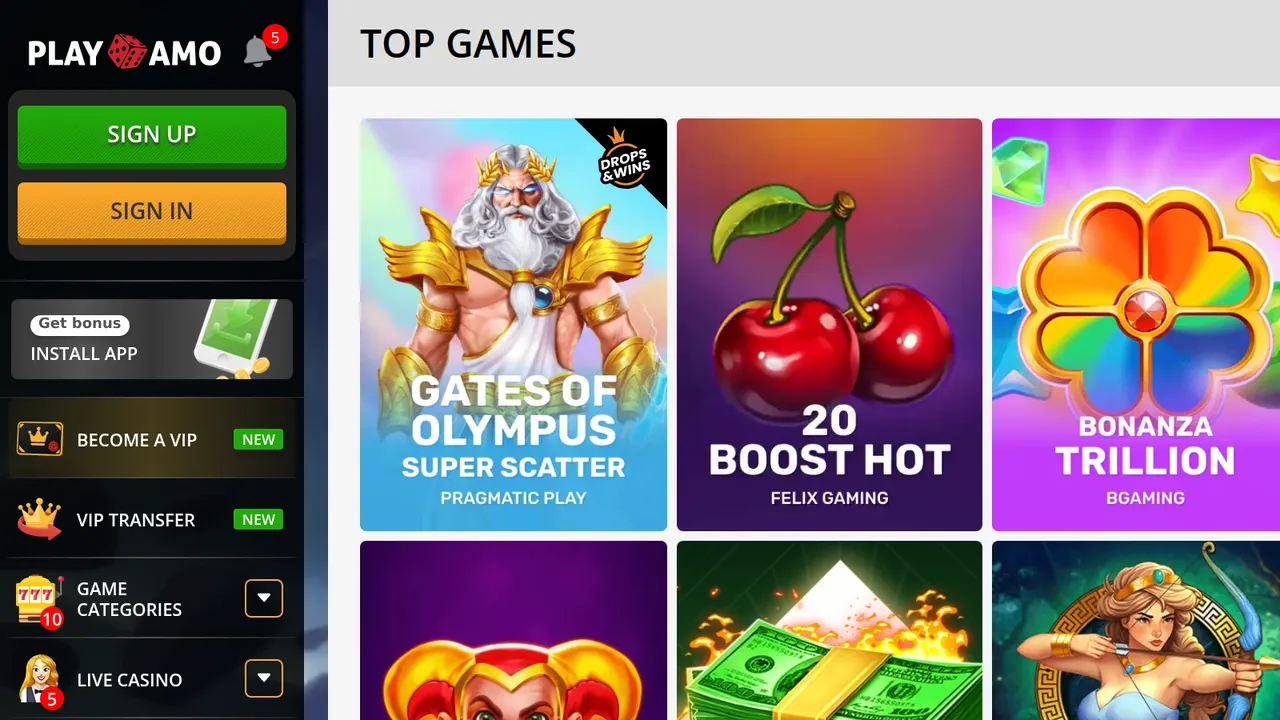
Open the casino in your browser, or tap the home-screen icon if you installed it. On a phone, open the side menu: the orange Sign In button sits right under the green Sign Up button.
- Enter your email address
Type the email you registered with into the field marked Enter your email. PlayAmo uses the email as the account key, so a phone number or a nickname will not work here.
- Enter your password
Type your password into the Enter your password field. PlayAmo accepts passwords of 8 to 128 characters, so a long passphrase from a password manager fits without trouble.
- Add your authorization code if 2FA is on
If you switched on two-factor authentication for the account, the form also asks for your authorization code. Enter the current code before it expires.
- Confirm and head to the lobby
Press the Sign In button on the form. Once you are in, the Cashier, your Profile and the full game lobby are open to you.
Switch on two-factor authentication
PlayAmo supports an optional second step at login. With it on, a stolen password alone is not enough to get into your balance. PlayAmo does not spell out how codes are delivered, so follow the setup screen in your account and keep that device handy when you sign in.
No account yet? Tap the green Sign Up button instead. The form asks for an email, a password typed twice, your country and currency (pick CAD), then a tick for the terms and your age, and a captcha. Click the confirmation link in the email PlayAmo sends and you can play right away. Check the age where you live: 19+ in British Columbia and most provinces, 18+ in Alberta, Manitoba and Quebec.
On the go
PlayAmo sign in on your phone
You will not find PlayAmo in the App Store or on Google Play, and you do not need to. The casino is built as a web app: you add it to your home screen from the browser, and it opens full screen like any other app. Signing in works exactly as on desktop, with the same email and password.
- AndroidOpen PlayAmo in your browser, tap the browser menu, choose Add to Home screen, then Install. The PlayAmo icon lands on your home screen.
- iPhone and iPadOpen PlayAmo in Safari, tap Share, then Add to Home Screen. PlayAmo's own instructions name Safari for this, so start there.
- WindowsPlayAmo's install page lists Windows alongside Android and iOS, so a desktop shortcut is on the table too.
- Same login everywhereThe installed version is the same site, so your balance, limits and settings follow you from device to device.
The side menu shows an Install App tile marked Get bonus. PlayAmo does not publish a fixed amount for it on the install instructions, so treat whatever turns up as a pleasant extra and read its terms in the account before you rely on it.
Quick fixes
PlayAmo login not working? Run through this first
Most of the time a failed login is something small on our side of the screen. Work down the list in order; each check takes seconds.
Check the email - it must be the exact address you signed up with. PlayAmo does not let you change it later, so an old work or school address may still be the right one.
Check the password - Caps Lock, a stray space, or a browser autofilling an old password cause most errors. If in doubt, reset it rather than guessing.
Confirm your email - sign-up finishes when you click the link PlayAmo emails you. Search your inbox and spam for it if you never did.
Read the lock message - if the site says the account is locked, stop retrying and request unlock instructions from the Forgot Password? screen.
Try a clean browser - a private window or a different browser rules out stale cookies and extensions that block the form.
Ask live chat - PlayAmo's support team is on duty 24/7, 365 days a year, and can see what is happening on the account itself.
Back in? Over 3,500 games are waiting
Slots, live tables and new releases from 40 providers, all playable in C$.
Reset and unlock
PlayAmo password reset and locked accounts
Both fixes start from the same place, the Forgot Password? link under the sign-in form, and both end with an email. What changes is what you ask for.
- Forgotten password
Click Forgot Password?, enter your email and wait for the reset message. Its link opens a Change your password screen: type the new password, confirm it, and sign in with it straight away. Pick something you have not used on another site.
- Locked account
The same screen handles locks. Fill in your email and PlayAmo sends unlock instructions. If nothing arrives, the Didn't receive unlock instructions? link sends them again. PlayAmo does not publish how many wrong attempts trigger a lock, so stop after two or three.
The email did not arrive
Give it a few minutes, then look in spam, promotions and any filtered folders. Still nothing? PlayAmo's FAQ says to contact the live chat, and the team can help with the account directly. Requesting ten links in a row only fills your inbox with dead ones.
Troubleshooting
Common PlayAmo login problems and what fixes them
| What you see | Likely cause | First fix |
|---|---|---|
| Wrong details | Typo, old password | Reset password |
| Account locked | Failed attempts | Unlock email |
| No reset email | Spam filter | Check spam |
| Can't play yet | Unconfirmed email | Confirmation link |
| Logged out | Session limit | Wait or adjust |
| Access paused | Self-exclusion | Live chat |
Swipe the table sideways to see every column.
The first three rows cover most failed logins. A wrong-details error is nearly always the password, and a reset fixes it faster than trial and error. If you keep guessing, the account can lock, and then you need the unlock email instead, which is one more message to wait for.
The last two rows are not faults at all: they are PlayAmo's own tools doing their job. A session limit logs you out automatically once your chosen time is up. A self-exclusion switches the account off immediately until the period ends, and during it you cannot sign in to withdraw; PlayAmo's support team arranges the payout of any remaining balance instead, with the usual verification. If you set either one and have forgotten, that is the answer to the puzzle.
Myth vs fact
PlayAmo log in myths we keep hearing
You need to download the PlayAmo app from a store before you can log in on a phone.
There is no store app. The mobile site works in any browser, and the home-screen version installs from the browser menu on Android or from Safari on an iPhone.
Your mobile number works as a username.
PlayAmo signs you in by email only. A phone number is not part of the login at all.
Locked out? Just open a fresh account with another email.
PlayAmo allows one account per person, household, computer and IP address. The unlock email is quicker and keeps your balance.
You can swap the login email in your profile whenever you like.
The email cannot be changed after registration, so sign up with an address you plan to keep.
Account housekeeping
After your PlayAmo account login: four numbers to know
- 8-128Password lengthcharacters allowed
- 2 MBDocument sizebmp, jpeg, jpg or png
- 2 weeksTo verifyonce PlayAmo asks
- 12 monthsWithout loginaccount turns inactive
Your first sign-in is the best moment to sort a few things out. Upload your ID and payment proofs under Profile, then Documents, before you need them; PlayAmo itself suggests verifying in advance so later withdrawals move faster. When verification is requested you have two weeks to complete it, and a date of birth is required at cash-out anyway, so the profile is worth filling in early.
Money matters live one click away. The Cashier handles deposits and payouts, and our guide to PlayAmo withdrawal limits explains the C$4,000 daily cap and how bigger wins are split. If you want guard rails, the deposit and session limits are there too: deposit limits run for a day, a week or a month, and lowering any limit takes effect immediately.
Log in now and then. After 12 months without a single login PlayAmo treats an account as inactive. It can then charge a monthly dormancy fee and applies lower withdrawal caps (C$500 a day). A quick sign-in once in a while keeps the account active.
Our check
What we tested at the PlayAmo sign-in, and when
We last checked this page on 28 September 2026. We worked through the Canadian sign-in form, the Forgot Password? and unlock screens, the Change your password form and the phone install steps, then matched each one against PlayAmo's own FAQ and help pages. Where PlayAmo does not publish a detail, such as the lock threshold or how two-step codes arrive, we say so rather than guess.
What we liked
- A short form: email, password, done
- Optional two-factor authentication for extra safety
- Self-service reset and unlock, both by email
- Home-screen install on Android, iOS and Windows
- Live chat on duty around the clock
Worth knowing
- The login email is fixed for good
- The number of attempts before a lock is not published
- No store app, only the browser install
- One account per household, so share carefully
PlayAmo sign-in questions, answered
How do I log in to PlayAmo from Canada?
Open PlayAmo, tap Sign In (in the side menu on a phone), enter the email you registered with and your password, then press the button. If two-factor authentication is switched on, type the authorization code as well. The same steps work in the installed home-screen app, because it is the same site.
What should I do if I forgot my PlayAmo password?
Click Forgot Password? on the sign-in form and enter your email. PlayAmo sends a link that opens a Change your password screen, where you type the new password twice. If the email never shows up, check the spam folder first, then ask the 24/7 live chat to help.
Why is my PlayAmo account locked?
An account can lock after too many failed sign-in attempts, and PlayAmo does not publish the exact number. To unlock it, open the Forgot Password? screen, enter your email and follow the unlock instructions that arrive by email. There is also a link to resend them if the first message goes missing.
Does PlayAmo offer two-factor authentication?
Yes. PlayAmo supports optional two-factor authentication, and once it is on the login form asks for an authorization code after your password. PlayAmo does not publish how the codes are delivered, so follow the setup screen in your account. We recommend it for anyone who keeps a balance on the site.
Is there a PlayAmo app for the login?
There is no store app. PlayAmo is a web app you install from the browser: on Android use the browser menu and Add to Home screen, on an iPhone use Safari, Share and Add to Home Screen. You then log in with the same email and password as on desktop.
Why did PlayAmo log me out in the middle of a session?
The most common reason is a session limit. If you set one in your responsible gaming tools, PlayAmo logs you out automatically when the time runs out. Sign back in once the limit period allows it, or adjust the limit, keeping in mind that an increase only takes effect after the current limit expires.
Can I change the email I use to sign in?
No. PlayAmo does not allow the email address to be changed after registration, so the address you signed up with stays your login for good. If you lose access to that mailbox, contact the live chat team, since the reset and unlock emails all go to that address.
Keep reading

Ready to play
Signed in? The lobby is waiting
No account yet? Sign-up takes one form and one email confirmation, and then you can play straight away.